

For adults comparing online table games Canada platforms, a clear lobby can matter as much as the size of the catalogue. The most useful approach is to understand how games are grouped, how rules and eligibility are displayed, and which account tools help you move between casino areas without confusion. The lucky hills online casino information available to Canadian readers points to a platform built around searchable navigation, separate sections and browser-based access rather than a single crowded game page.
Start with the lobby structure, not the game title
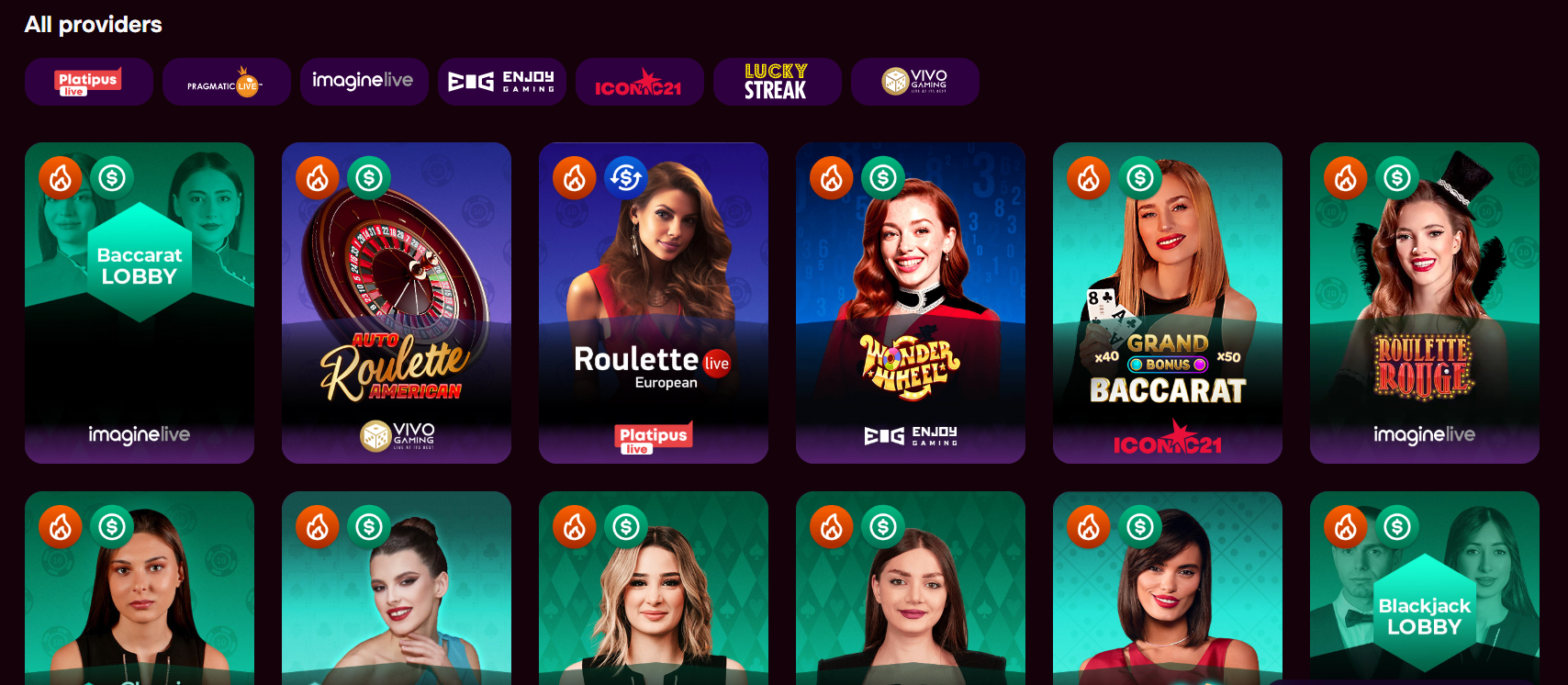
A table-game search is easier when the lobby separates live casino, roulette, blackjack, game shows and other categories. Instead of scrolling through every available title, begin with the type of experience you want. A live-dealer table, for example, is presented differently from an automated roulette game, while game-show content may have its own mechanics and entry conditions.
Navigation also separates casino content from sports and esports. That distinction is useful because the account may contain several activity areas, each with different rules, promotional treatment and history. Staying within the casino section reduces the risk of selecting an unrelated event or misunderstanding whether a displayed offer applies to table play, slots or sports.
Badges can provide another layer of direction. Lobby labels identify recently added, popular and jackpot-labelled games, while other indicators show whether a title is eligible for bonus play or contributes to bonus wagering. These labels are signposts, not quality guarantees. Open the individual game information before making a choice, particularly when a title has special entry conditions or a fast-paced format.
How can you narrow a large table-game catalogue?
Use the provider search when you already recognize a software studio or want to compare a particular supplier’s style. The Providers page includes a name-search field, which is more efficient than relying on broad categories. Supplier libraries can vary by location, so a familiar provider name does not guarantee that every associated title will appear in the Canadian-facing lobby.
Category filters are most useful when paired with a practical question. Are you looking for roulette, blackjack, a live dealer, or a game-show format? Do you prefer a slower rules-led game or a quick interface with fewer decisions? Asking this first prevents the common mistake of treating every tile in a large lobby as an equivalent table option.
After filtering, compare the remaining titles using their own rules pages. Check the number of available betting options, how rounds are conducted, and whether the game has distinctive features that affect its pace. Short demonstrations may help you understand buttons and layout, but they do not establish future results, volatility or profitability. Treat them as orientation tools rather than evidence of performance.
Read the table before committing funds
Each game provides access to its own rules, and those details should be read before placing a wager. Look for the objective of the round, the available selections, the order of play and the way winnings are calculated. A familiar name does not mean that every version uses the same interface or offers the same betting choices.
Live tables deserve additional attention because the presentation can include a dealer, streamed action and several on-screen controls. Confirm where limits, bet confirmation and the round timer are displayed. If the screen feels rushed, leave the game and choose a format that gives you enough time to understand each action. Convenience should not replace comprehension.
Promotional eligibility adds another condition. The lobby distinguishes titles that qualify for bonus play, and the Bonus Wagering section identifies games that contribute to qualifying requirements. Other titles may accept bonus funds without contributing, while some require cash funds only. If a promotion is active, read its stated rules and the game’s own information together; a table’s presence in the casino does not prove that it counts toward a promotion.
Keep account navigation separate from game navigation
Good usability includes more than finding a table. Profile contains account settings, verification status, email confirmation and logout controls, while Cashbox handles deposits, withdrawals, bonus selection and transaction history. Keeping these areas separate makes it easier to check an account action without confusing it with a game setting.
Account currency is an important limitation. The available information lists CAD alongside several other currencies, but one active currency account is used at a time. Changing that currency is not described as a simple profile toggle: support can block the existing currency account before a replacement is created under the stated procedure. Readers should review the operator’s requirements before requesting a change.
Security and recovery controls also affect day-to-day usability. The login screen includes a password-reset route, and missing activation messages can be addressed through support. Profile includes verification tools, while the account terms require accurate personal information and payment accounts held by the player. Duplicate accounts, incorrect details or failed verification can create access and withdrawal restrictions, so fixing account information early is more practical than waiting until a payment is pending.
Make mobile browsing work for table play
Browser access is available on smartphones and tablets, allowing users to reach casino games, live tables, account areas, Cashbox and promotional pages without relying on a native installation. This can be convenient when switching between devices, but the quality of the experience will depend on the screen size, connection and the controls used by the particular table.
The site also displays an install-app entry and describes a PWA route. That points to an installable website or web-app experience. It should not automatically be treated as proof of a separately verified application in the Apple App Store or Google Play. Before installing anything, check the address, permissions and the wording shown on the operator’s own pages.
On a smaller screen, use landscape orientation when a live table contains several controls or a stream. Confirm that the balance, selected wager and confirmation button are visible before proceeding. Log out when sharing a device, avoid saving credentials on public hardware and use only a secure connection. Mobile convenience is valuable, but it should not encourage rushed decisions or make account information harder to review.
Questions readers often ask
Can I search for a specific table-game provider?
Yes. The Providers page includes a name-search field, allowing you to narrow the catalogue by software supplier. Availability can differ by location, however, so a provider’s broader library may not match the titles shown in your account. Use the game’s own rules and lobby information for the final details.
Does every table game contribute to a bonus?
No. Lobby badges and the Bonus Wagering section distinguish qualifying titles from games that accept bonus funds without contributing. Some games may require cash funds only. If you have an active offer, review its conditions before playing and confirm how the selected title is treated.
Can I use the platform on a phone without an app?
Yes. The available information describes browser access on smartphones and tablets, including casino areas, live tables and account tools. An installable PWA option is also mentioned. That does not establish a separately verified native app, so check the operator’s current instructions before downloading software.